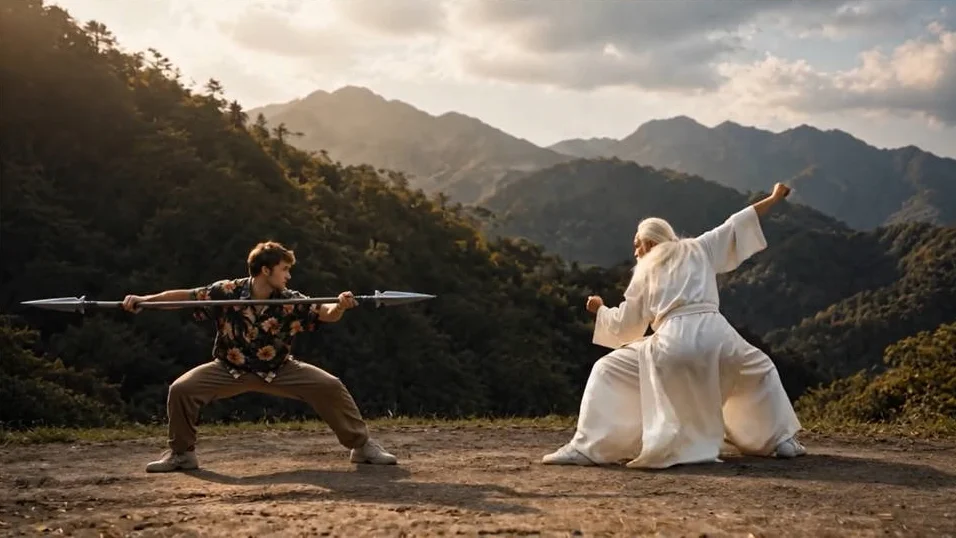
A great character design should not stay frozen on the screen. Creators want characters to move, perform and feel alive.
SCAIL 2 makes this easier by turning a static character image into a motion-driven AI video. Users can keep the character identity from a reference image while guiding movement with a real driving video.
SCAIL 2 offers a faster way to create expressive AI character animation without starting from a full animation workflow.
What Problem Does SCAIL 2 Solve?
SCAIL 2 solves the gap between having a character idea and actually making that character move.
Many creators can design a strong character, but they cannot easily animate it.
In a traditional workflow, character animation usually involves several difficult steps:
Building or preparing a character model
Creating a skeleton or rig
Matching bones to body parts
Designing keyframes or importing motion capture
Adjusting hands, legs, facial direction, clothing, and timing
Rendering and editing the final animation
This process is powerful, but it is not friendly for fast content creation. It requires software knowledge, animation experience and production time.
General AI video generators also have their own problems. In many AI-generated videos, creators see problems like:
identity drift
unstable hands
inconsistent clothing
weak motion control
a character that does not follow the intended action
SCAIL 2 addresses this problem by making the workflow more direct.
The user provides
a reference character image to define who the character is
and a driving video to define how the character should move
The result is a more controlled form of AI character animation, where the creator does not need to describe every pose from scratch.
What Can You Create with SCAIL 2?
SCAIL 2 can be used for character animation, mascot videos, character replacement, social media clips and creative story previews.
Character Replacement Videos
A powerful use case is AI character replacement video. Creators can use an existing motion video and replace the performer with a chosen character.
For example:
Replace a human dancer with a cartoon character
Turn a presenter motion into a mascot performance
Convert a simple action clip into a fantasy character scene
Test how a game character might move in a real-world shot
For ethical and legal use, creators should avoid using real people, celebrities, or copyrighted characters without permission.
The safest direction is to use original characters, licensed assets, brand-owned mascots, or self-created designs.
Original Character Animation
If you have an OC, anime character, comic character, game character or illustration, SCAIL 2 can help turn it into a moving video.
Possible ideas include:
A character walking toward the camera
A stylized hero doing a pose
An anime OC performing a dance
A fantasy character turning around
A game character preview animation
This is especially useful for artists who want to show their characters in action but do not have animation skills.
Brand Mascot and Product Videos
For marketers and small businesses, a static mascot is often underused. It may appear on a logo, website, sticker, or product page, but it does not feel alive.
With SCAIL 2 a mascot can follow human gestures and become part of short-form marketing content.
A brand can use it to create:
A mascot waving at the audience
A product character introducing a feature
A seasonal campaign video
A playful social media ad
This is useful for AI mascot video generator, brand character animation, product avatar video, and social media marketing video content.
Social Media Motion Remix
Short videos often depend on motion: a dance, gesture, reaction, transition or visual hook. SCAIL 2 can help creators turn common motion patterns into personalized character content.
This makes it useful for:
TikTok-style character dances
YouTube Shorts character reactions
Instagram Reels mascot clips
Meme-style motion edits
Because the motion comes from a driving video, creators can focus on selecting the right performance instead of building animation from zero.
Why Does Separating Character Identity and Motion Matter?
SCAIL 2 Separates character identity from motion, gives creators more control over both appearance and performance.
In many creative projects, the character and the action come from different sources. For example, you may want your own anime OC to perform a real dance. You may want a mascot to copy a human presenter’s gesture.
This is exactly the kind of workflow where reference image + driving video animation becomes valuable.
📷 The reference image carries the character identity:
Face
Outfit
Body shape
Art style
Color palette
Character design
Visual personality
🎥The driving video carries the motion source:
Body movement
Walking rhythm
Dance action
Head direction
Hand gesture
Pose transition
Performance timing
💻By separating these two parts, SCAIL 2 helps creators think like directors.
Instead of asking, “How do I animate this from zero?”
they can ask, “What motion should this character perform?”
For users, this opens a practical workflow:
create or upload a strong character design, then find or record a motion video that matches the desired performance.
The creative process becomes closer to motion transfer, AI character replacement, and image-to-video character animation, rather than traditional manual animation.
Why Is End-to-End Motion Transfer Important?
SCAIL 2 can understand real movement without relying on traditional skeleton binding.
A traditional skeleton-based workflow can show where the arms, legs, and body joints are, but it cannot fully describe everything happening in a video. It can reduce motion into lines and points, which may work for simple actions but become less reliable for complex scenes.
One of the most important ideas behind SCAIL 2 is that real motion contains more information than simple skeleton points.
Real performance includes many visual details:
Clothing movement
Hand-object interaction
Body balance
Head direction
Camera perspective
Occlusion
Contact with the environment
Subtle timing between gestures
Style and rhythm of movement
The key benefit is simple: users do not need to prepare a skeleton, build a rig, or manually map bones to the character. This makes no-rigging character animation, AI motion transfer and motion-driven AI video generation more accessible to non-technical creators.
SCAIL 2 gives creators a faster way to turn character ideas into motion-driven video content.
For artists, it can bring original characters to life.
For marketers, it can make mascots more expressive.
For social media creators, it can turn motion trends into character-driven clips.
For game and film creators, it can help test character performance before building a full animation pipeline.
SCAIL 2 changes the creative starting point.
Instead of needing animation software, skeleton binding or complex manual editing, users can begin with two simple creative assets: a reference character image and a driving video.
If you have a character that deserves to move, SCAIL 2 is worth trying.
Start with a clear image, choose a simple driving video, and see how your static character becomes a motion-driven AI video.